Hain syncs folders between your devices, directly. Currently in beta.
$ curl -fsSL https://raw.githubusercontent.com/hainlabs/hain-releases/main/install.sh | bash Install with one command. Create a shared space with another. No accounts to create, no configuration to untangle, no permissions to request. You're syncing files in under a minute.
Your files travel straight from one machine to another over an encrypted connection. No cloud relay. No upload queue. No waiting for a server to catch up.
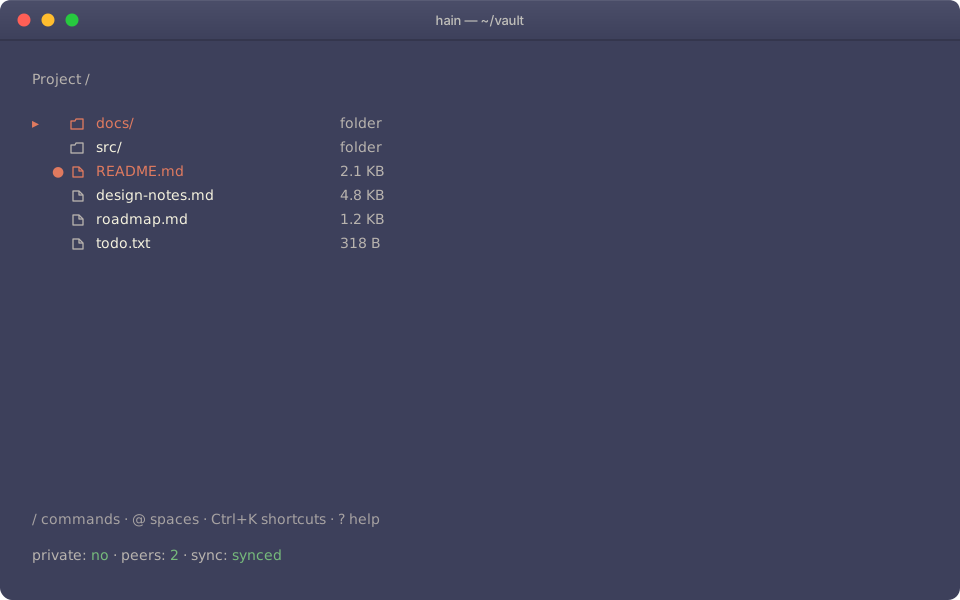
Run hain in any terminal and get a full-screen interface — file browser, command palette, live sync status. Drop to the CLI when you want to script something. Works anywhere a shell does, including over SSH.
Run it in any terminal. First time, pick a folder for your vault. The TUI opens to a file browser.
hain Press / to open the command palette, then create a space for what you're working on.
/space-create "Project" Press Ctrl+Shift+S to show your share key. Send it to whoever needs access — that's the only setup they need.
Ctrl+Shift+S Your collaborator launches Hain and pastes the key into the palette. Files start syncing.
hain Prefer the command line? Every action has a CLI equivalent.
Hain keeps your data on your machines and nowhere else.
Install Hain